Smart Home in Kyiv
How I built a smart home with Home Assistant on a Raspberry Pi — Zigbee, BLE, Wi-Fi, air raid alerts, and automations that actually think
Today I want to share my experience building a setup on Home Assistant. I'm not a home automation expert — I'm a software developer who likes tinkering. Some things clicked right away, others took me three days of staring at logs to figure out why a single broken integration had taken down my entire "smart" home.
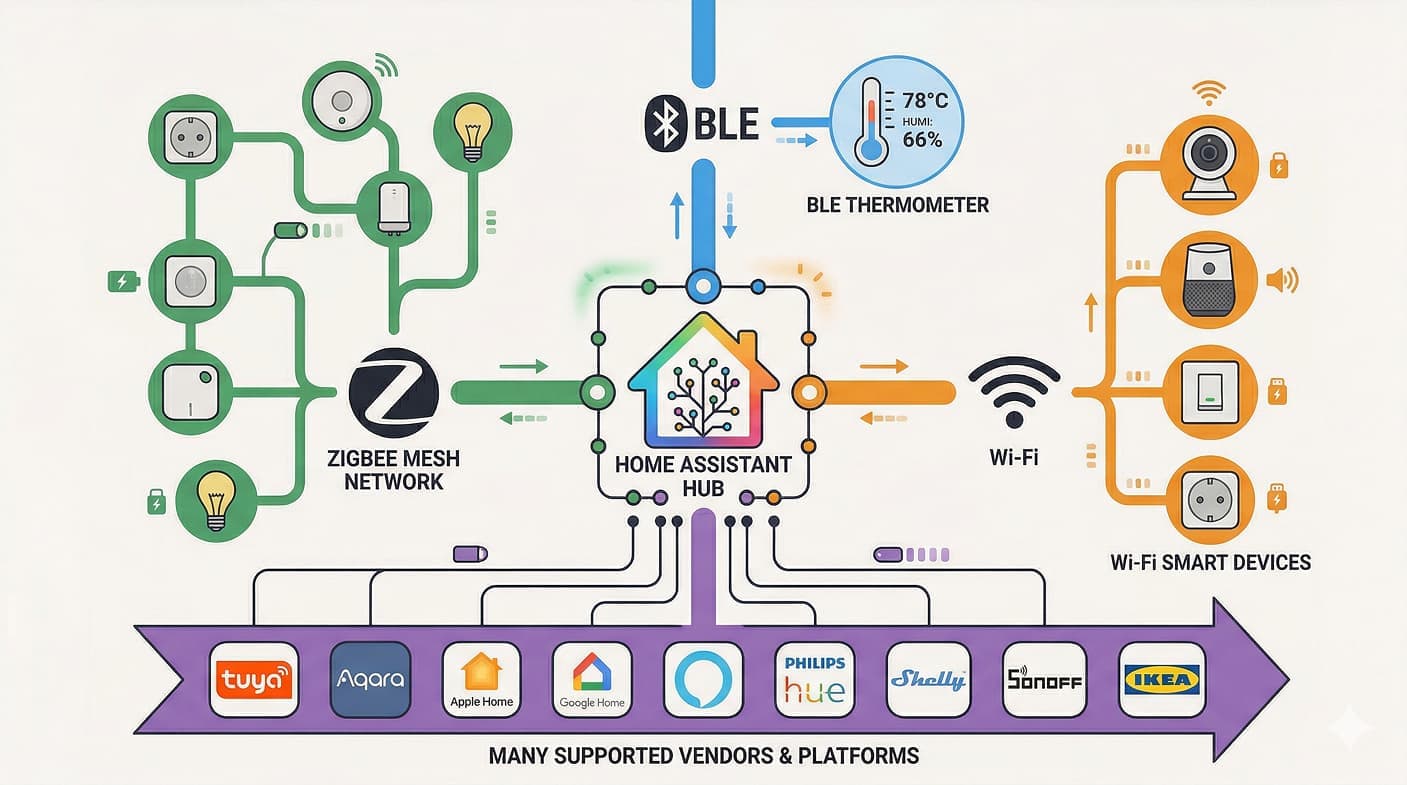
What's inside:
- My Tech Stack — why mixing protocols is the way to go
- Energy and Safety — power outage alerts and air raid notifications
- Physical Buttons — physical control that doesn't need a phone
- Lighting That Respects You — adaptive lighting, manual override
- Household Helpers — laundry tracking, smart humidifier, robot vacuum, plants
- Presence System — one toggle that changes how the entire apartment behaves
- Safety — water leak sensors
- System Monitoring — restart alerts, battery tracking
- AI Automations — car wash advisor, voice-to-research pipeline
- Under the Hood — hardware, add-ons, dashboard setup
My home evolves together with me and my family's needs. What started as a single bulb is now something that genuinely makes our daily life easier. Here's what the home dashboard looks like today:
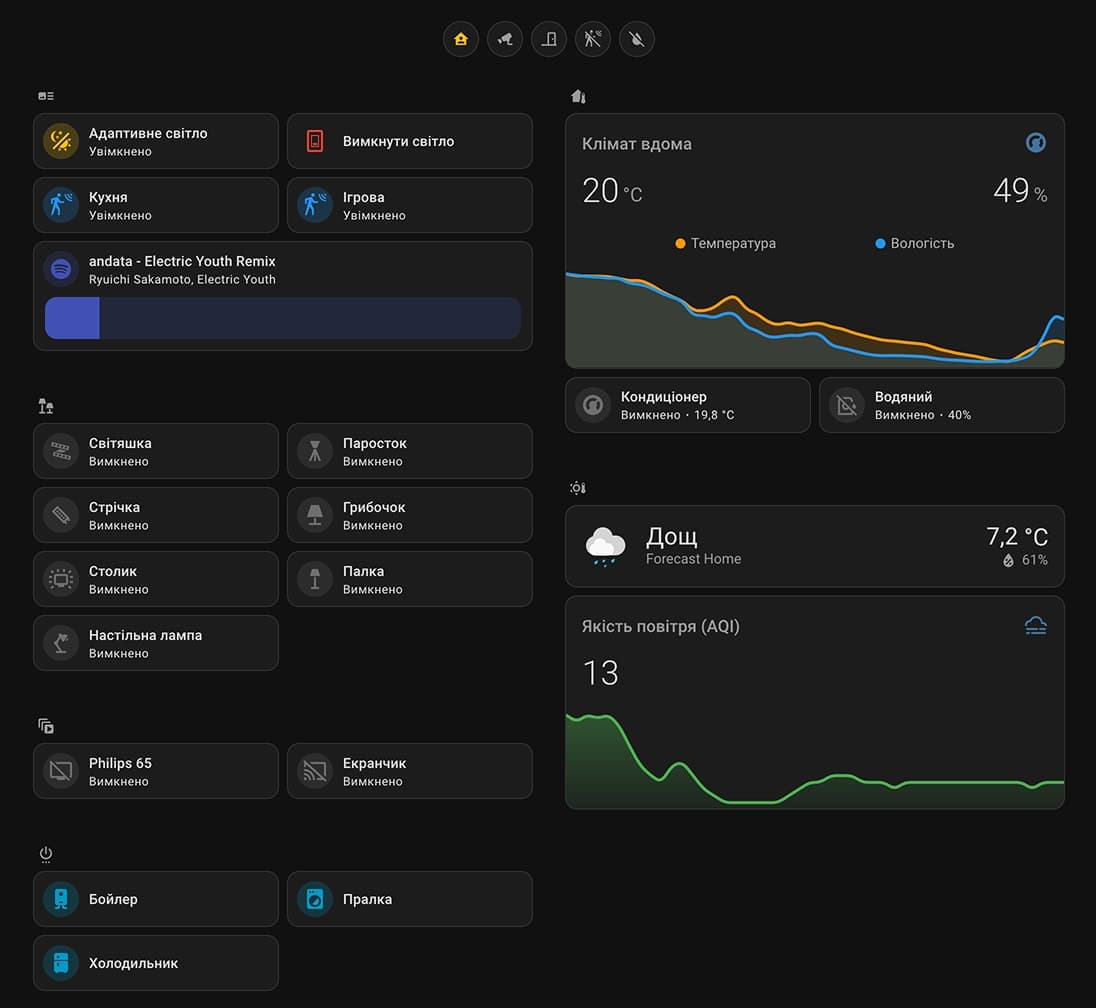
My home server / smart home isn't something I planned out from day one — it just evolved naturally over time. Wi-Fi, Zigbee, and Bluetooth all live under the same roof, alongside a colorful mix of brands: Aqara, Xiaomi, Tuya, and more. The real power of Home Assistant is that it brings this whole zoo of gadgets together into one system. On top of that, it's dead simple to share access with family — everyone gets their own account with their own dashboard, notifications, and permissions. No need to explain YAML to anyone — just hand them access through the companion app.
🧰 My Tech Stack: Why One Protocol Is Boring
I never tried (and frankly didn't know how) to build everything on a single protocol — I just liked experimenting. Home Assistant became the perfect "translator" for this zoo.
- 📡 Zigbee2MQTT + Mosquitto — dozens of sensors, buttons, and bulbs through a single Sonoff ZBDongle-E (EFR32MG21) coordinator plugged into the Raspberry Pi. One USB stick replaces a pile of proprietary hubs from each vendor
- 📶 BLE / BTHome — thermometers, soil sensors. No cloud, no lag — data straight into HA
- 📻 Wi-Fi — bulbs, smart plugs with energy monitoring, robot vacuum. Local control, minimal cloud dependency
- 🎵 Media — TV, console, soundbar, media players — all in one interface with automation triggers
⚙️ System Flows: How My Smart Home Actually Works
Instead of just tapping buttons on my phone, I focused on automations that understand context and work for me, not through me.
1. Energy and Safety
In the current reality, this is priority number one. I have two portable power stations from different brands integrated into the system.
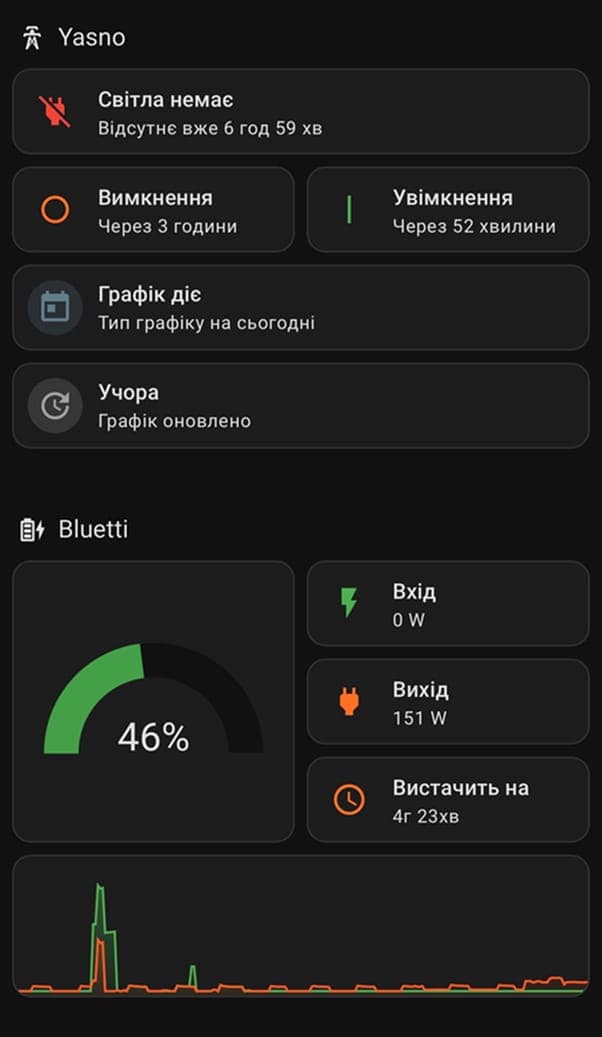
📡 Remote monitoring. A lot of people don't know that some power stations only work over Bluetooth — no Wi-Fi at all. Checking the charge remotely? Impossible. I got around this with a custom HACS integration that pulls all the metrics via BLE from the Raspberry Pi and feeds them into HA. The second station connects through the manufacturer's official integration.
⚡ Power outage alerts. An automation watches the AC input on the power station. When nobody's home (presence toggle is off), the system instantly notifies me when power comes or goes. So I always know what's happening with electricity, even when I'm away:
- conditions:
    - condition: trigger
      id: power_lost
    # only notify when nobody's home
    - condition: state
      entity_id: input_boolean.home_presence
      state: "off"
  sequence:
    - action: notify.notify
      data:
        title: 🔌 Power
        message: Power went out in the apartment.
🪫 Critical charge. If any station drops below 25% — instant push notification. The automation runs in parallel mode, handling multiple triggers at once.

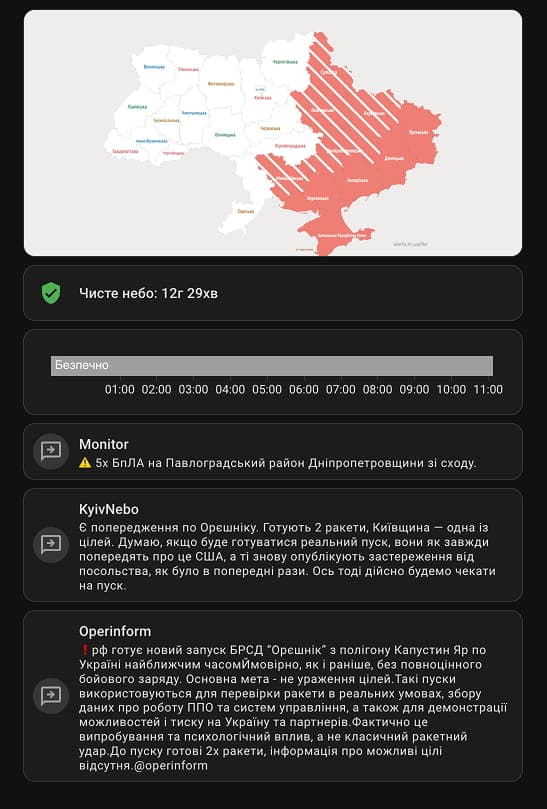
🚨 Air raid alert aggregator. Home Assistant monitors several air raid alert sources at once. One of them is the official Ukraine Alarm integration. The others are public Telegram channels scraped in real time using ha-multiscrape (a HACS integration). The scraper reads the latest messages from a channel, filters them by district and threat type, and exposes the result as a binary sensor:
- name: Monitor
  resource: https://t.me/s/channel_name
  scan_interval: 30
  binary_sensor:
    - unique_id: monitor_danger
      device_class: safety
      select_list: '.js-message_text'
      # check if the latest message mentions my district + a real threat
      value_template: >-
        {% set msg = value.split("|||") | last | lower %}
        {% set nearby = "my_district" in msg %}
        {% set danger_now = "ballistic" in msg or "missile" in msg %}
        {{ nearby or danger_now }}
      attributes:
        - name: latest_message
          select_list: '.js-message_text'
          value_template: "{{ value.split('|||') | last }}"
The automation fires when any source picks up a threat for my specific district (in Kyiv right now, this is very much a real need). Three sources instead of one — redundancy that's absolutely worth it here. The notification pulls the threat description from whichever source fired and cuts through iOS silent mode.
2. Physical Buttons
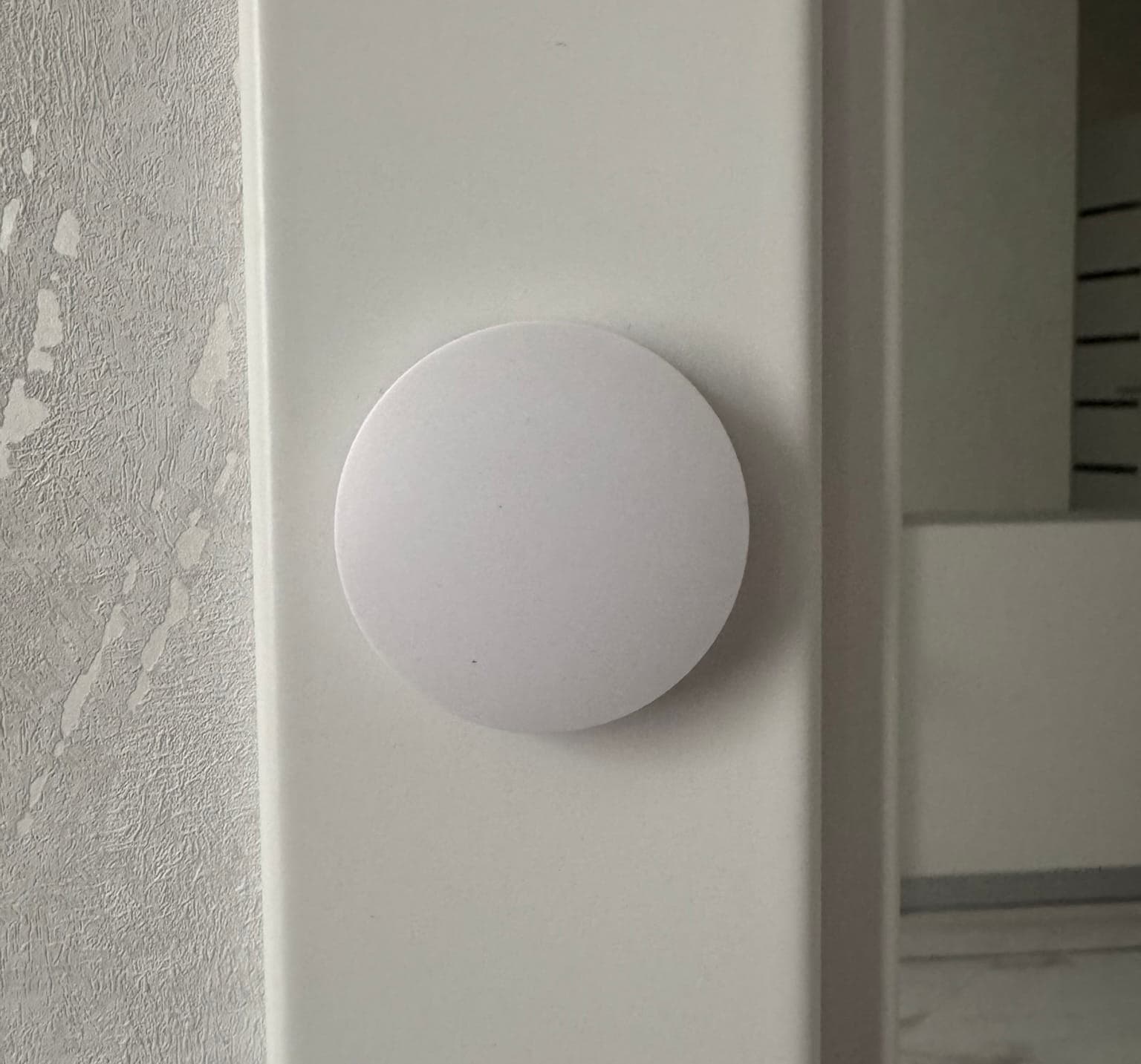
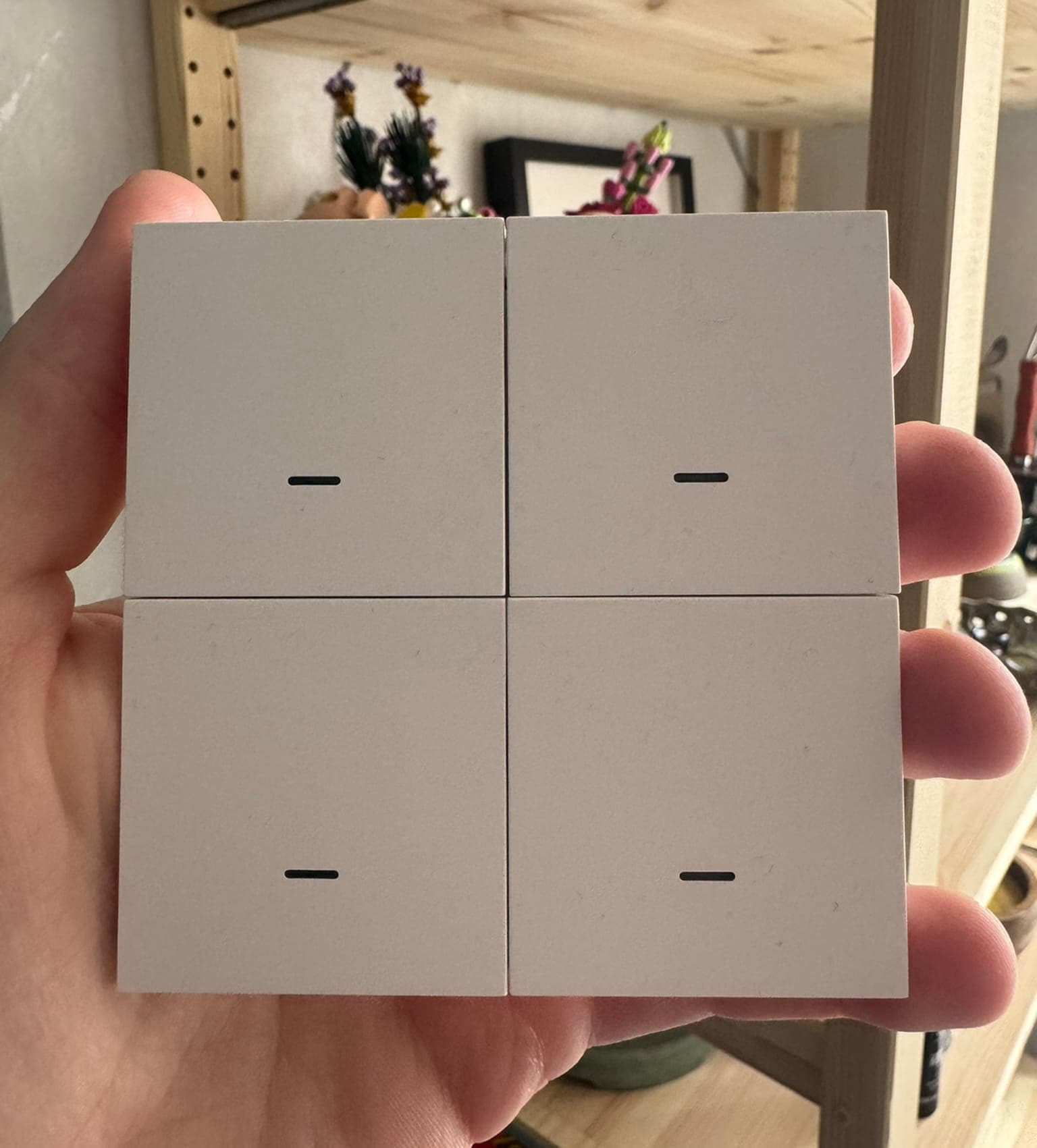
One thing I totally underestimated at first — wireless Zigbee buttons. Cheap, no wires, and via Zigbee2MQTT each one supports multiple actions: single press, double press, and long press.
At some point it hits you: if the whole point of your "smart" home is that you have to find your phone to turn on a lamp — something has gone wrong. Physical buttons mean your home works both offline and online. No app needed, no voice assistant required — just press the button on the wall.
Every room has its own button with its own logic:
- Single press → toggle main light
- Double press → all lights in the room (ceiling, desk lamp, LED strip)
- Long press → kill everything in the apartment
The "kill everything" action lives on every remote — it's my "leaving home" shortcut. One long press, and the apartment goes to sleep.
Each button listens to MQTT actions from Zigbee2MQTT — one topic, multiple payloads routed through choose:
triggers:
  - topic: zigbee2mqtt/Button/action
    payload: single
    id: single_press
    trigger: mqtt
  - topic: zigbee2mqtt/Button/action
    payload: hold
    id: hold_press
    trigger: mqtt
actions:
  - choose:
      - conditions:
          - condition: trigger
            id: single_press
        sequence:
          - action: light.toggle
      - conditions:
          - condition: trigger
            id: hold_press
        sequence:
          - action: script.turn_off_everything
3. Lighting That Respects You
This is the trickiest automation layer. At its core is the Adaptive Lighting component, which gradually shifts brightness and color temperature throughout the day to mimic natural sunlight.
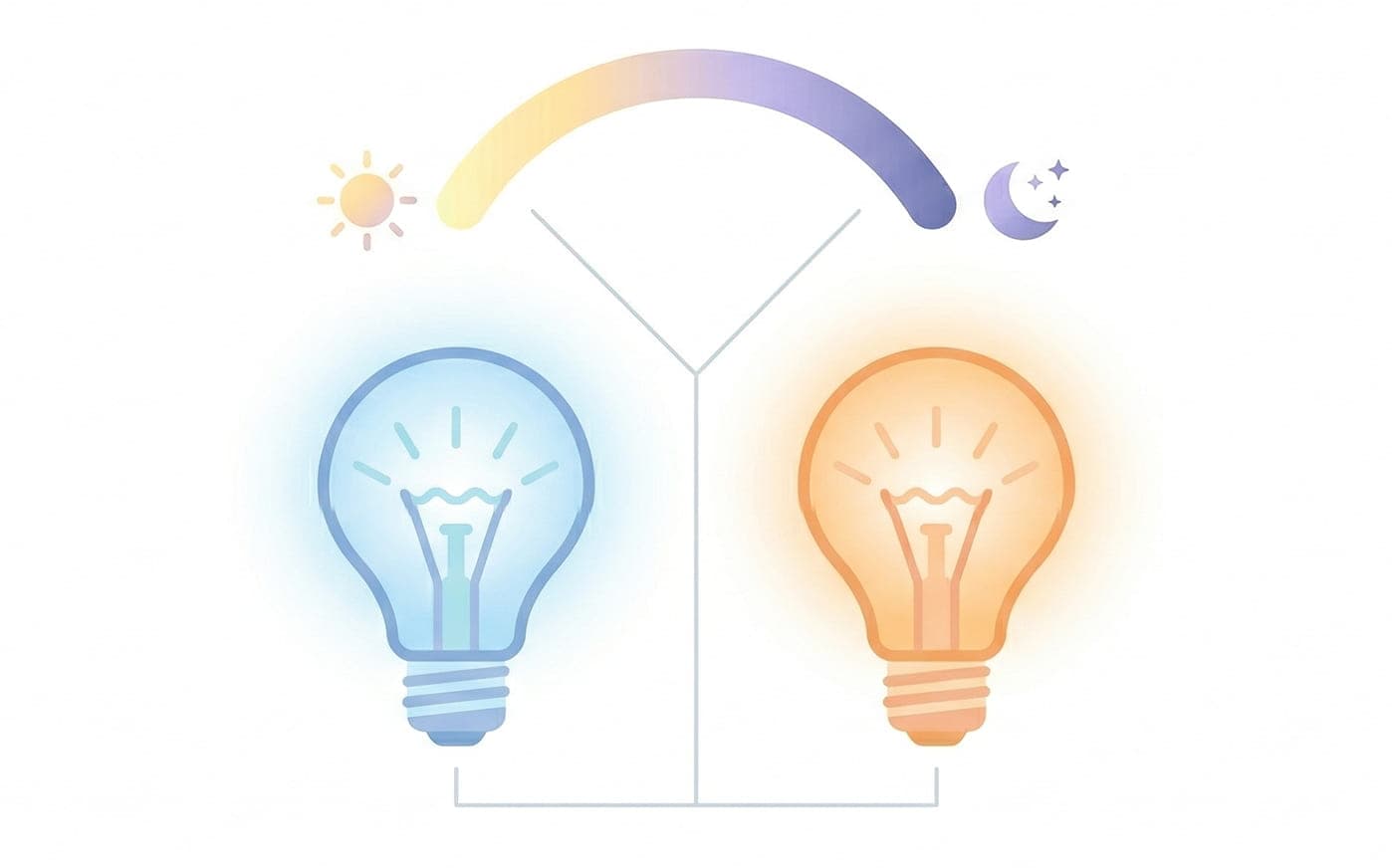
☀️ During the day — a cool, alert spectrum; 🌙 at night — warm, dim light to wind down for sleep. The best part: even if you turn the light on at noon and leave it on until midnight, it keeps adjusting on its own — no need to touch anything. The color temperature and brightness follow the sun in real time.
🚶 Auto-on by motion. Rooms have motion sensors with lux measurement. Lights only kick in when it's dark (illuminance < 100lux) and there's motion. No motion for 5 minutes — lights off. Super handy in the kitchen: walk in — lights on, walk out — lights off.
✋ Manual Override. The biggest headache with any automation: it turns the lights on when you want darkness. I solved this by checking the event context. When I manually switch off a lamp, the system detects it through the missing parent_id in trigger.to_state.context — meaning the action came from a human, not an automation. The adaptive mode flag for that zone gets disabled, and the automation backs off. Turn the light back on manually — the flag resets, automation kicks back in. This pattern is used in every room. It's elegant because it doesn't need extra buttons or modes — the system just "gets" whether the action was mine:
condition:
  - condition: template
    value_template: >
      {# parent_id is none → action came from a human, not an automation #}
      {# context.id != this.context.id → ignore events fired by this automation itself #}
      {{ trigger.to_state.context.parent_id is none
         and trigger.to_state.context.id != this.context.id }}
🎬 Media mode. TV turns on — adaptive lighting turns off. Console or media player starts playback — all lights in the room go dark. Turn off the TV — adaptive mode comes back. Zero manual effort.
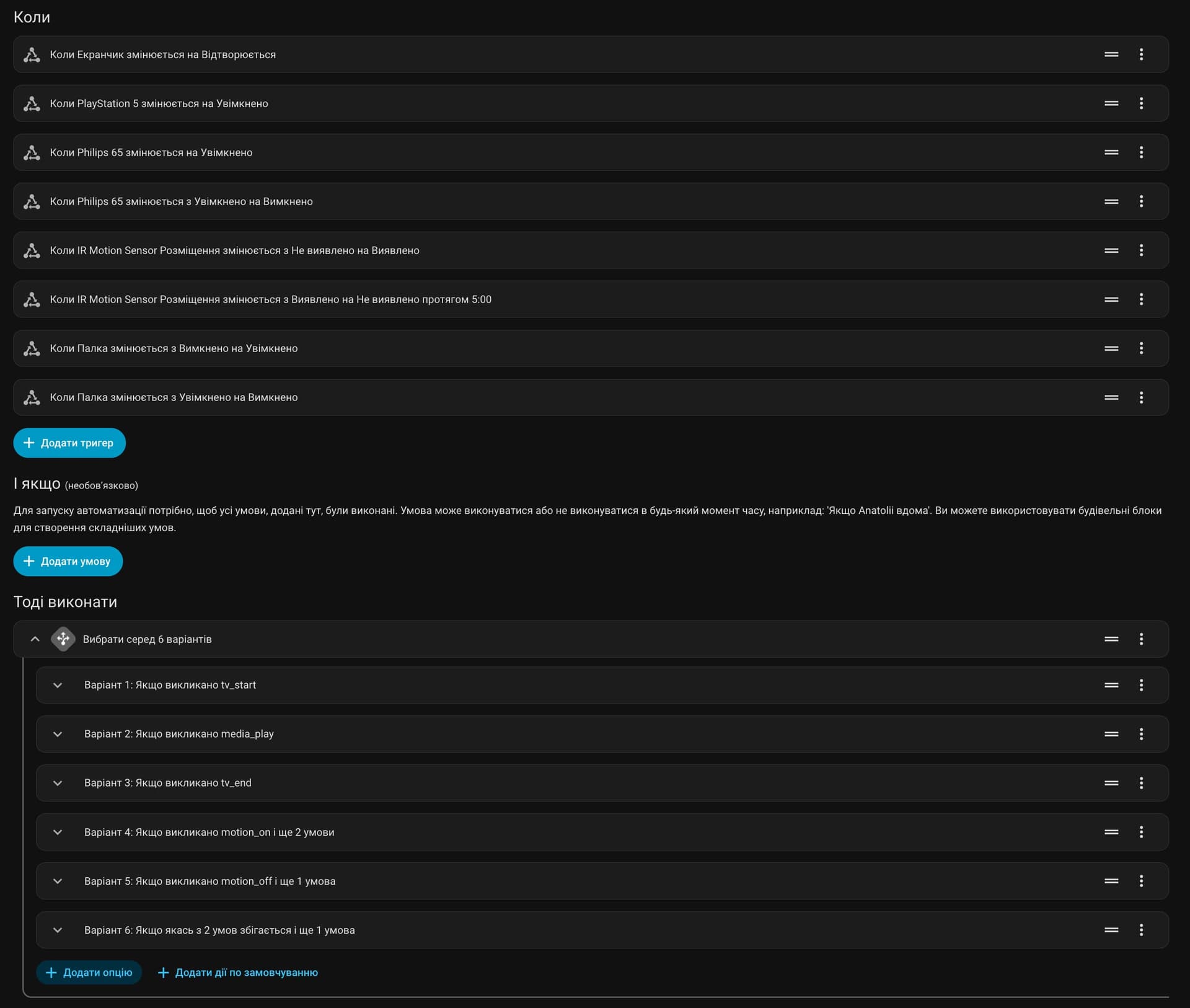
Here's what the full automation config looks like in the HA UI — a single automation handling motion, media, manual override, and fallback, all in one place with fine-grained control over every trigger and condition:
4. Household Helpers
👕 Laundry tracking. Through a smart plug with power monitoring, the system tracks the washing machine's cycle. Consumption goes above 2W for over a minute — laundry started. Power drops below 1W for a minute — it's done, push notification: "Don't forget to grab the clothes!" The automation runs in mode: restart — so if the machine starts a new cycle while the previous one is still being tracked, it resets cleanly instead of stacking up.
triggers:
  # power above 2W for 1 min → cycle started
  - entity_id: sensor.washing_machine_power
    above: 2
    for: { minutes: 1 }
    id: started
    trigger: numeric_state
  # power below 1W for 1 min → cycle finished
  - entity_id: sensor.washing_machine_power
    below: 1
    for: { minutes: 1 }
    id: finished
    trigger: numeric_state
mode: restart  # new cycle resets the automation cleanly
💨 Smart humidifier. My humidifier has no water level sensor — a classic budget device problem. The automation kicks in 2 hours after sunset (when the air is driest), but only if humidity from the BLE thermometer reads below 40%. Then:
- 💾 Current humidity is saved
- ▶️ Humidifier turns on at medium
- 🔍 After 5 minutes — check: if humidity hasn't gone up, the water tank is empty. Device shuts off, notification sent
- ✅ If humidity is climbing — the system waits for 50%, then turns off the humidifier and reports the result
All the logic lives in one automation, no extra scripts. The trick is saving the initial humidity and comparing later:
# save the humidity reading before turning on
- variables:
    initial_humidity: "{{ states('sensor.thermometer_humidity') | float }}"
- action: humidifier.turn_on
- delay: "00:05:00"
# if humidity hasn't risen — tank is empty
- if:
    - condition: template
      value_template: >-
        {{ states('sensor.thermometer_humidity') | float <= initial_humidity }}
  then:
    - action: humidifier.turn_off
    - stop: Humidifier out of water
🤖 Robot vacuum. Integrated via HACS with full room map support. The dashboard shows the vacuum's position, lets you start cleaning specific rooms, and track consumable wear.
🌱 Plants under control. BLE soil moisture sensors hooked up for houseplants. When moisture drops below the threshold — my wife gets a notification. No plant goes forgotten, and I don't hear "you could've reminded me."
5. Presence System
If I could recommend building just one thing first — it's a presence entity. A single boolean toggle that the rest of your system revolves around. Once you have it, every automation can ask: "Is anyone home?" — and behave completely differently based on the answer.
Location is tracked via phone geolocation, but I also have a manual override flag. This means I can flip presence by hand when needed, or set a rule to ignore geolocation changes during an active air raid alert — because the neighboring shithole country regularly launches ballistic missiles and GPS in the city drifts you kilometers off. All of this happens automatically.
When I flip the state:
- 🏡 "Home" — a script runs: the right lights come on, adaptive modes are restored, pet cameras turn off
- 🚪 "Away" — another script: all lights off, unnecessary devices shut down, music or TV stops, pet cameras turn on so we can check on the cats
This one
input_booleanis referenced in almost every automation I have — power alerts only fire when nobody's home, motion-based lighting only works when someone is, and the "kill everything" script knows exactly what to shut down. It's the cheapest thing to set up and the highest-impact one.
6. Safety: Sensors
💧 Water leak sensors — placed in risky spots. When triggered — critical alert. Plus devices in the affected rooms get shut off. I dream of owning a house where I could fully control the water supply — automations would go way further in that case.
7. System Monitoring
🔄 Restart notifications. When Home Assistant boots up, a push arrives: "The house is smart again!" A useful signal: if I get this unexpectedly — either there was a power outage, or the server rebooted on its own. Worth investigating.
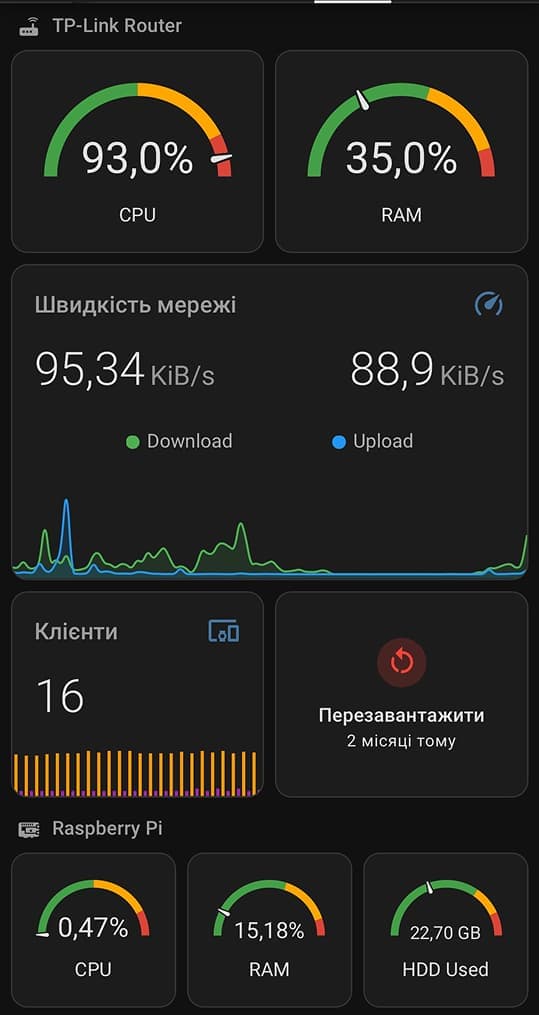
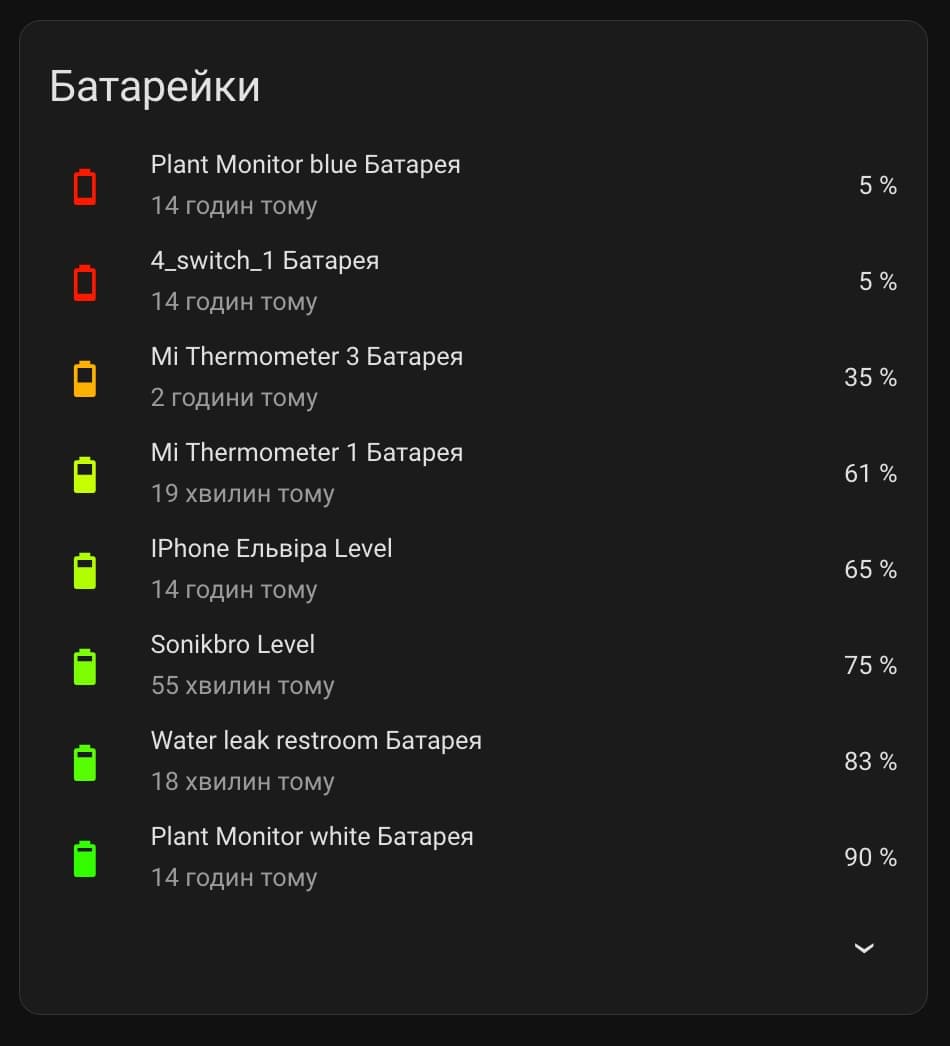
🔋 Batteries. All battery-powered Zigbee devices are monitored automatically. When the charge drops below threshold — a notification comes in with the exact device name. No need to manually check dozens of sensors and buttons — the system tells you which one needs a fresh battery.
8. AI Automations
🚗 "Should I wash the car?" Using an AI agent plus the local weather forecast, I get an answer on demand: is it worth washing the car today. The agent checks the forecast for the next few days — if rain's coming, it says wait. If it's sunny ahead — green light. Simple integration, but saves time and money.
🎙️ Voice deep research. I set up a pipeline where I dictate a research topic or random thoughts by voice. The system transcribes the audio via Whisper, processes the text, fires off a deep research through an AI agent, and once it's done — sends a structured result to Telegram based on my prompt. Basically a voice-to-research pipeline running entirely on the local server. Dictate a thought on the go — get a full breakdown in the messenger.
🔩 What Else Is Under the Hood
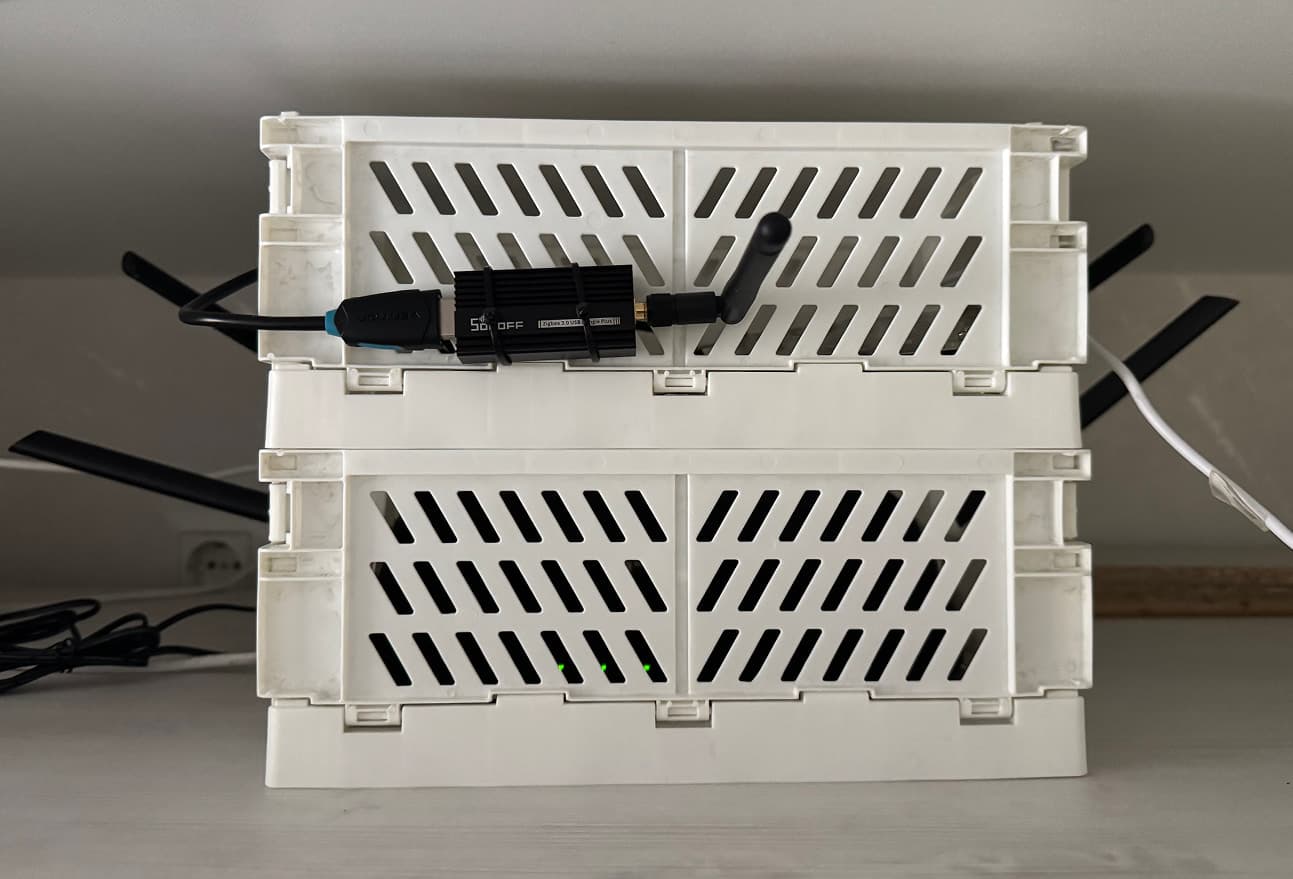
Running on a Raspberry Pi 5 (8 GB RAM).
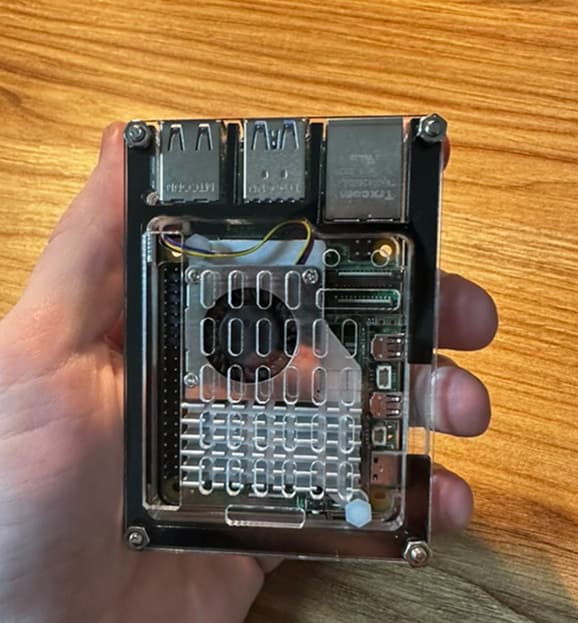
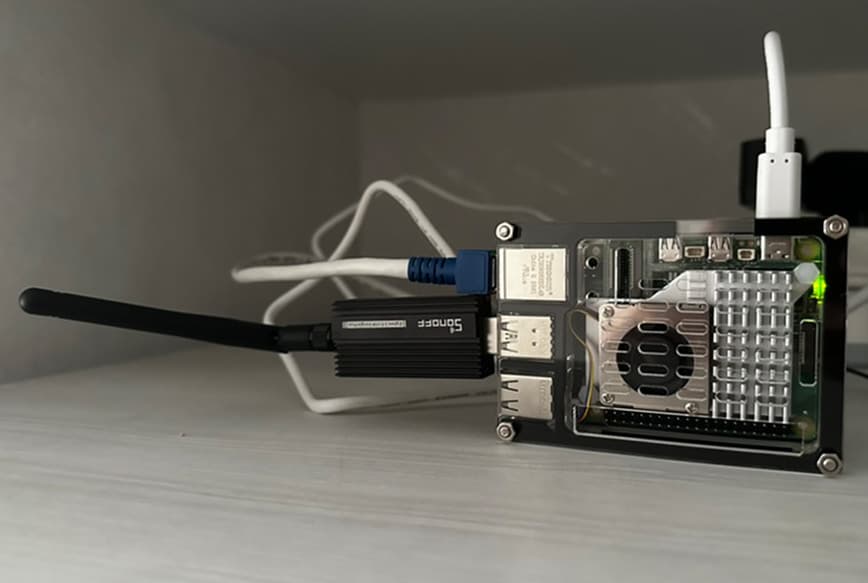
The photos above were taken before I realized how much aesthetics matter for a home server. Eventually I tucked everything — the router and the Raspberry Pi — into a single cheap plastic enclosure. Clean, compact, and out of sight :)
🔌 Add-ons:
- Zigbee2MQTT + Mosquitto broker — the backbone of the Zigbee network
- Cloudflared — secure tunnel for remote access, no open ports needed
- MQTT integration for gaming console — control via MQTT
- Whisper + Piper — local speech recognition and synthesis (Wyoming Protocol), works offline. The local LLM is used purely for text transcription — 8 GB of RAM on the Raspberry Pi 5 is barely enough for that alone
- Node-RED — for complex flows that are painful to write in YAML
- Terminal & SSH — remote server access
- File editor — editing configs from the browser
- Google Drive Backup — automatic cloud backups
🌡️ Climate & Environment:
- AC control via IR integration
- Scheduled power outage charts
- Local air quality monitoring
- Weather forecast
- Sun state (sunrise, sunset) for automation triggers
🧠 AI & Communication:
- Google Gemini + OpenAI — for event analysis and experiments
- Telegram bot — alternative notification channel
- Google Translate TTS — speech synthesis for voice alerts
- Google Calendar — schedule integration into automations
🔧 Helpers:
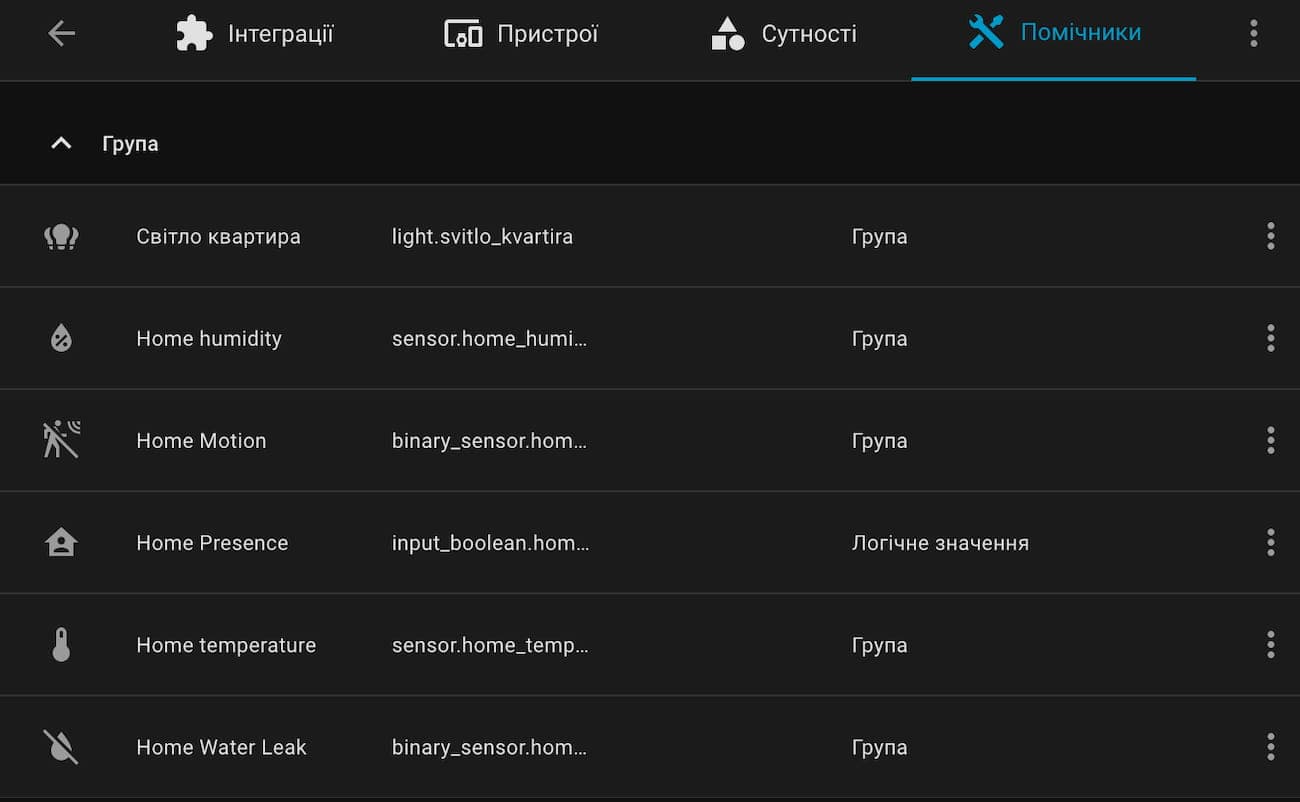
- Sensor groups — aggregated light, humidity, and temperature readings across the apartment
- Mode flags — manual override control for each zone
- Device states — tracking work cycles and power
- Text input for AI experiments
🎨 Visualization:
- Mushroom — the dashboard foundation
- mini-graph-card — temperature, humidity, and energy consumption graphs
- auto-entities — auto-display of low-battery devices
🏁 Wrapping Up
A smart home isn’t a finished product — it’s a living system that grows with you. I started with a single smart bulb, and now I have dozens of devices, automations that think for themselves, and an AI agent I can talk to by voice. Some of it took an evening to set up, some of it took weeks of debugging YAML at 2 AM.
The main takeaway: you don’t need to plan everything upfront. Start small, automate what actually annoys you, and the system will evolve on its own. Home Assistant gives you the freedom to build exactly the setup you need — not the one some vendor decided to sell you.
Want to try it yourself? All you really need to start is a Raspberry Pi (or any old PC), a Zigbee coordinator, and one smart device — a bulb, a button, a sensor. Install Home Assistant OS, plug in the coordinator, and you’re already ahead of most "smart" home kits on the market.
Still have questions? Then feel free to leave a comment — I’ve finally gotten around to enabling them. 💬